
How to Create a Travel Itinerary Wallpaper?
China Travel Guide
Govoyagenow
Creating a travel itinerary wallpaper is easier than you think. All you need is a bit of creativity, some planning, and a few tools to bring your dream trip to life. Whether you’re preparing for a weekend getaway or a long-term adventure, a custom travel wallpaper can add a personal touch to your phone or laptop. The key is to balance aesthetics with functionality, making sure your wallpaper not only looks great but also helps you stay organized. In this guide, we’ll walk you through the steps of making your own travel itinerary wallpaper, from choosing the right tools to designing a layout that works for your travel style.
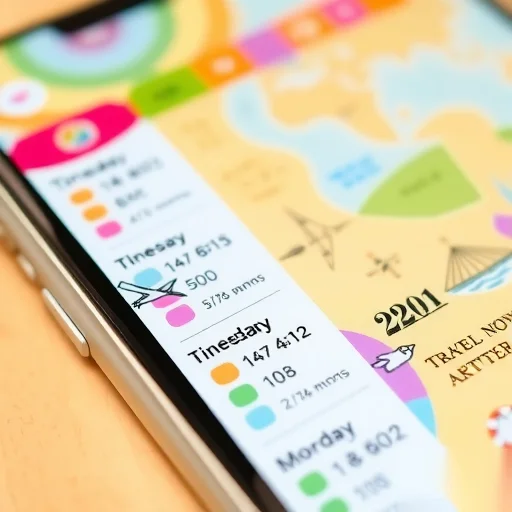
The first step is to decide on the purpose of your travel itinerary wallpaper. Are you looking to plan your trip in advance, keep track of your schedule during the journey, or simply create a visual reminder of your destination? Once you have a clear idea of your goal, you can choose the right tools and design elements to suit your needs. For example, if you’re planning a trip, a calendar-style layout with dates and activities might be the best option. If you’re more of a spontaneous traveler, a map-based design with markers and notes could work better.
Next, consider the tools you’ll need. There are many free and paid apps and websites that can help you create a travel itinerary wallpaper. Some popular options include Canva, Adobe Spark, and even Microsoft PowerPoint. These platforms offer templates that you can customize with your own photos, text, and icons. If you prefer a more hands-on approach, you can use design software like Photoshop or Illustrator to create a custom layout from scratch. The key is to find a tool that matches your skill level and design preferences.
When designing your itinerary wallpaper, it’s important to keep the layout simple and easy to read. Avoid cluttering the screen with too much information, as this can make the wallpaper difficult to use. Instead, focus on the most important elements: your destination, dates, key activities, and any notes you want to include. You can also add a background image that reflects the location you’re visiting, such as a photo of the city skyline or a scenic landscape. This not only makes the wallpaper more visually appealing but also adds a personal touch to your travel planning.
Another important aspect to consider is the size and resolution of your wallpaper. If you’re creating it for a phone, make sure the dimensions match your device’s screen size to avoid any scaling issues. For laptops or desktops, you’ll need to adjust the size accordingly. High-resolution images are also crucial, as they ensure that your wallpaper looks sharp and clear, even when viewed up close. You can find high-quality photos on platforms like Unsplash or Pexels, which offer a wide range of free images to choose from.
To give your itinerary wallpaper a unique look, you can add some creative elements like hand-drawn sketches, icons, or even a small doodle of your destination. These details can make your wallpaper more personal and engaging, especially if you’re planning a trip with friends or family. You can also experiment with different color schemes to match your mood or the vibe of the destination. For example, a tropical vacation might call for bright, vibrant colors, while a city trip might benefit from a more modern, minimalist palette.
Let’s take a real-life example to see how this process works. Suppose you’re planning a trip to Paris. You could start by selecting a background image of the Eiffel Tower or the Seine River. Then, you can add a calendar layout with dates for your arrival, departure, and key activities like visiting the Louvre or dining at a local café. You might also include icons for flights, hotels, and transportation, as well as notes about things you want to do or places you need to visit. Finally, you can adjust the colors and fonts to create a cohesive and visually appealing design.
Once your wallpaper is ready, you can download it and set it as your phone or laptop background. Not only will it serve as a reminder of your upcoming trip, but it will also help you stay organized and on track during your journey. Plus, having a personalized wallpaper can make your travel experience more exciting and memorable.
If you’re not confident in your design skills, don’t worry—there are plenty of templates and tools that can help you create a beautiful itinerary wallpaper without any prior experience. You can also seek inspiration from travel blogs, social media, or even other users’ designs to get a sense of what works best for you. The most important thing is to enjoy the process and make your wallpaper reflect your unique travel style.
[Comment




2 Comments
Anonymous
18/06/2026
I love the idea of having my itinerary as a wallpaper—it makes planning trips more personal and visually appealing.
Anonymous
18/06/2026
This sounds like a fun and creative way to make my travel plans more exciting! I can't wait to try it out.